Audit Log
The Audit Log tracks all modifications made to a Feature. DevCycle captures the DevCycle user who made the change, a time stamp, and what was modified on each Feature save.
The Audit Log is located on the Audit Log tab on every Feature Form.
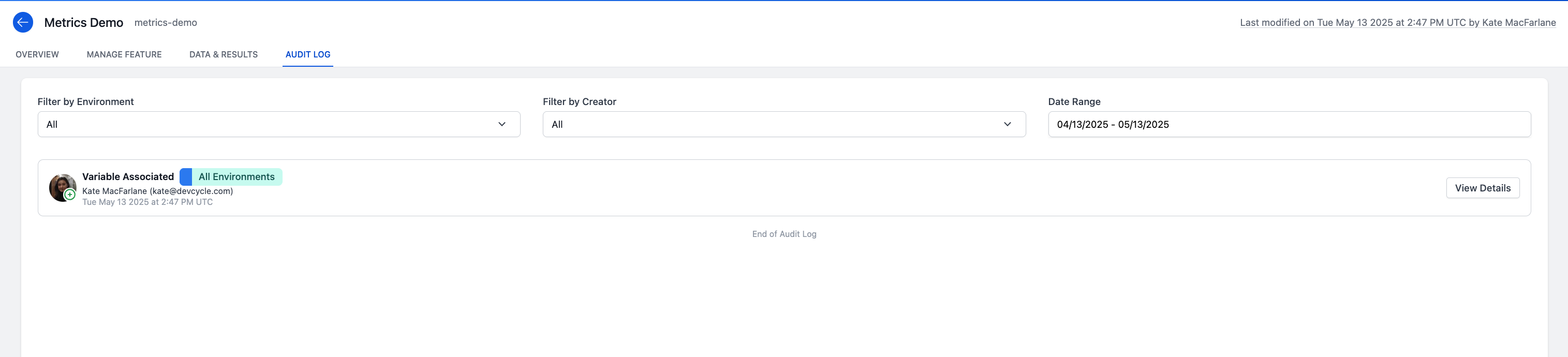
You can filter modifications by Environment and DevCycle user, and select a particular date range.
The Audit Log Feature was released in early December 2023. No Audit Log modifications were tracked before this date.
Modification Card
The title of each modification card highlights the change that was made to the Feature upon clicking save. If multiple changes were made on a Feature save and/or there were modifications made to more than one Environment, the card will show the total number modifications made.
Click the View Details button on each card for more information about each modification.
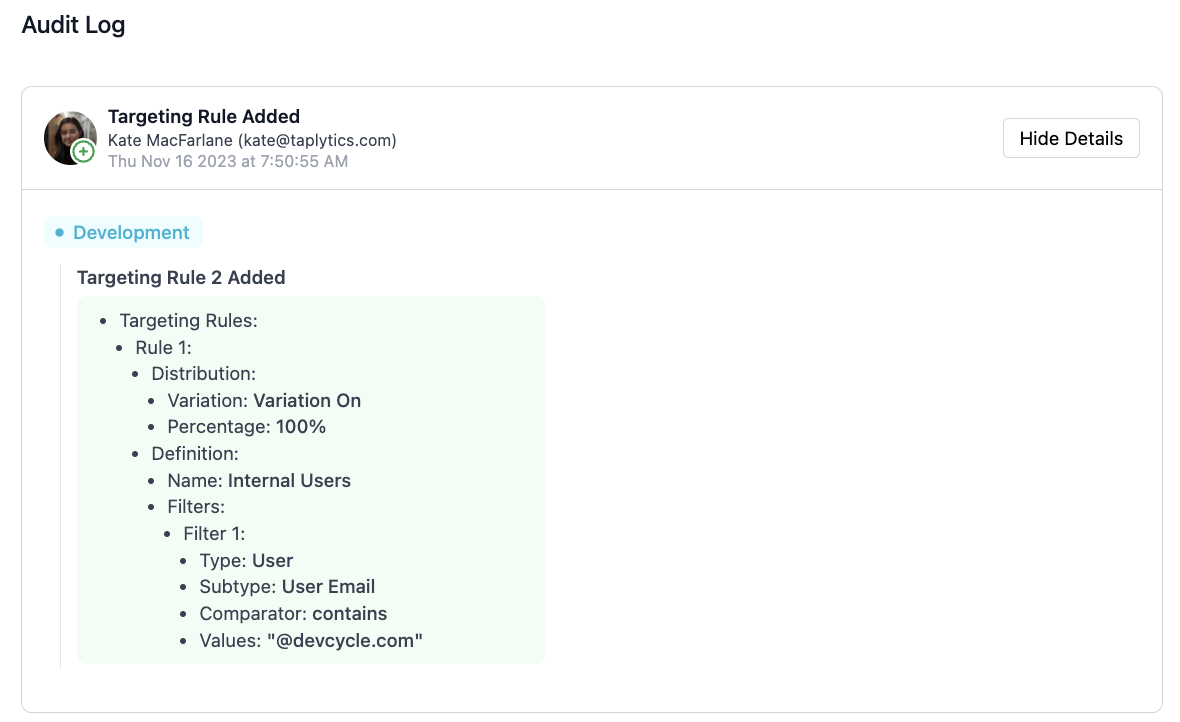
Modifications are organized by Environment with each card. The color of each Environment tag corresponds to the color selected for that Environment.
Items that are added to the Feature will be highlighted in green on the modification card (see below), and removals or deletions of items will be highlighted in red.
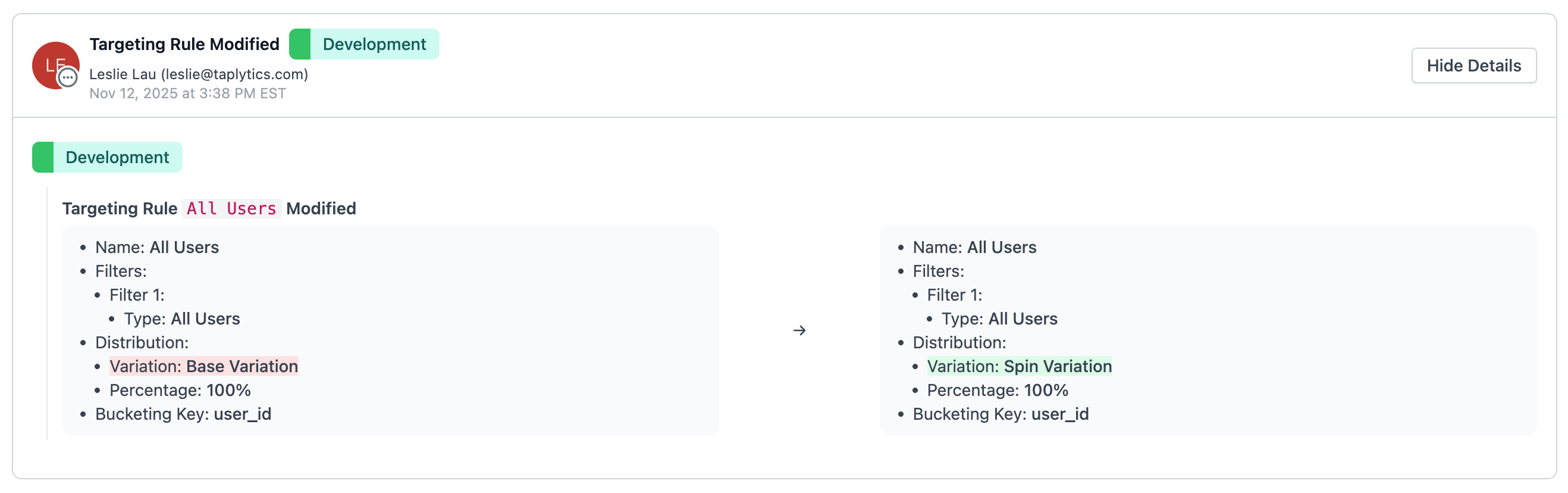
For modifications to values, each card will show the orignal value on the left-hand column of the card and the updated value on the right. If a value was added or modified, the change will be highlighted in green. If a value was deleted or removed, the change will be highlighted in red.
Please note that Self-Targeting actions are not recorded in the Audit Log.
Feature Created Modification Cards
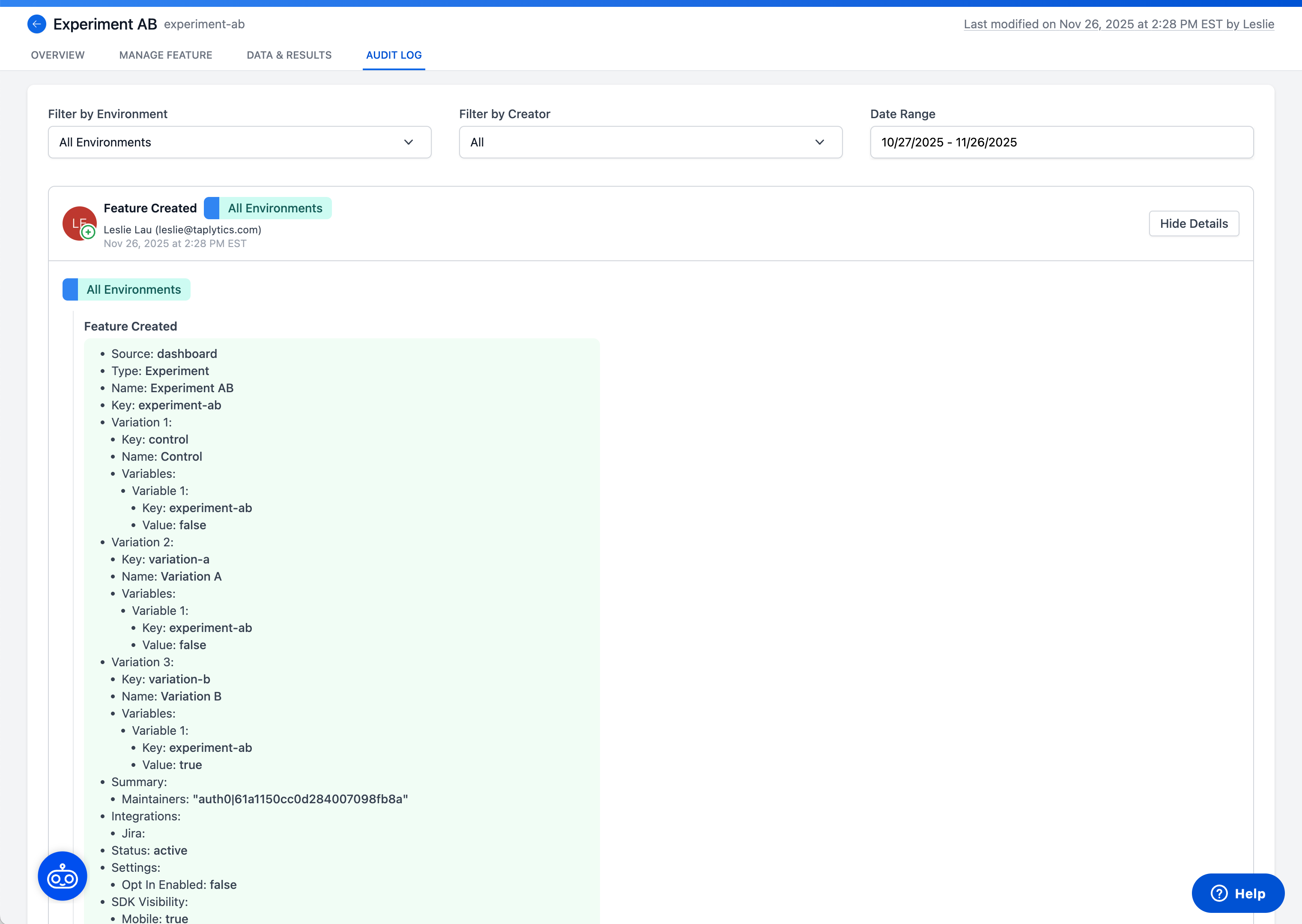
When a Feature is created, you will see a "Feature Created" card populate in the Audit Log. This is the first modification card in the Audit Log, and it will outline the initial Feature configuration (initial Variable, Variations, Status, Settings, etc.). The initial Feature configuration can change depending on the Feature Type selected when creating a new Feature. See an example below for an Experiment Feature Type.